UpBlue

AI in the Factory

Ask your question in plain language. UpBlue AI finds the answer in your production data, connects machines and builds dashboards, without needing a specialist.

UpBlue AI

What You Ask, Happens

From connecting the first machine to finding yesterday's root cause: UpBlue AI does the work that now takes hours of clicking, exporting and digging.

Connect Machines

CONNECT

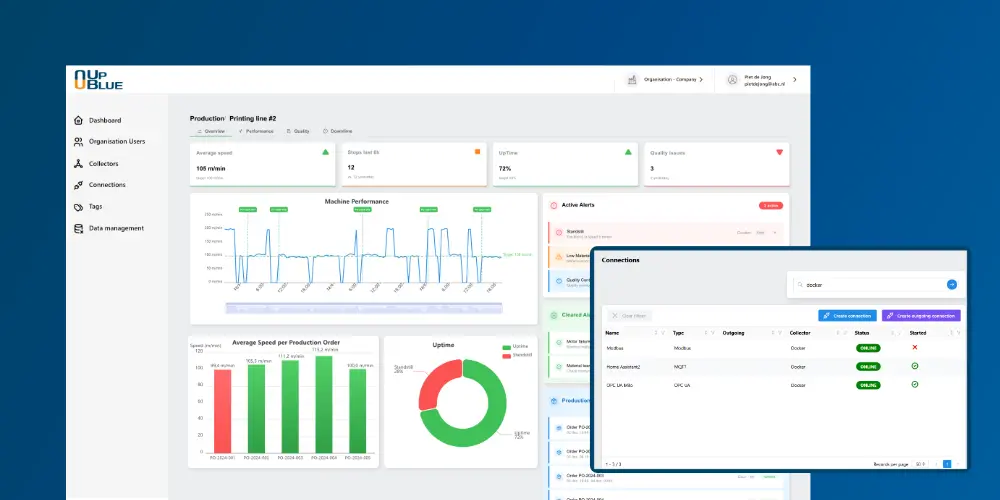
Say which machine you want to connect. The assistant finds the OPC UA, Modbus or MQTT source on your collector, creates the connection and tags and checks that data arrives.

Explain Downtime

ANALYSE

Why did line 2 stop? Why was OEE lower? UpBlue AI finds the stops, the causes and the moment, and sums it up in a few sentences.

Build Dashboards

VISUALISE

Describe what you want to see and the assistant sets up panels, queries and layout. Every change is a new version you can restore.

Find Deviations

PREDICT

Ask which machines deviate from their normal pattern and where maintenance pays off most now, before a deviation becomes a breakdown.

Analyse Energy

SAVE

Which machine uses the most, and when? UpBlue AI finds hidden consumption outside production hours and sets usage per machine against production.

Explain the Data Flow

SOLVE

A value missing or wrong? The assistant follows the value from machine to dashboard and points out the step where it goes wrong.

Safe and Under Control

AI that asks first

In a factory you want to know what changes, and who changes it. That is why UpBlue AI works within the same rules as your staff.

  • Works with the user's own permissions: a viewer can only read.
  • Always asks for approval before it changes a connection, rule, collector or alert.
  • Every dashboard change is a new version you can restore.
  • Nothing goes live on the shop floor without a deploy.
  • Every number comes from your own data; the assistant does not guess.

UpBlue AI Under Control

For Everyone on the Shop Floor

Everyone asks the questions that fit their job, in their own language.

Operator

"How much has line 1 produced this shift, and is it on schedule?"

Maintenance

"Which pumps run hotter than normal, and since when?"

Management

"Compare last month's output per line and make a table for the management meeting."

Also in Claude, ChatGPT and Gemini

Your own AI app, your factory data

Already working with an AI app? With the UpBlue MCP server you ask the same questions in Claude, ChatGPT or Gemini, next to your reports, Excel files and meeting notes. You log in with your normal UpBlue account.

Your AI App + UpBlue MCP

Start With AI in Your Factory Today

Start a free trial or see in a demo what UpBlue AI can do with your own machines.

Other Solutions