UpBlue

AI Assistant & MCP

One assistant that knows your factory: inside UpBlue, and in Claude, ChatGPT or Gemini through the UpBlue MCP server. Always with your own permissions.

UpBlue AI

Two Ways to Talk to UpBlue

Use the assistant where you already work.

UpBlue AI in the App

IN UPBLUE

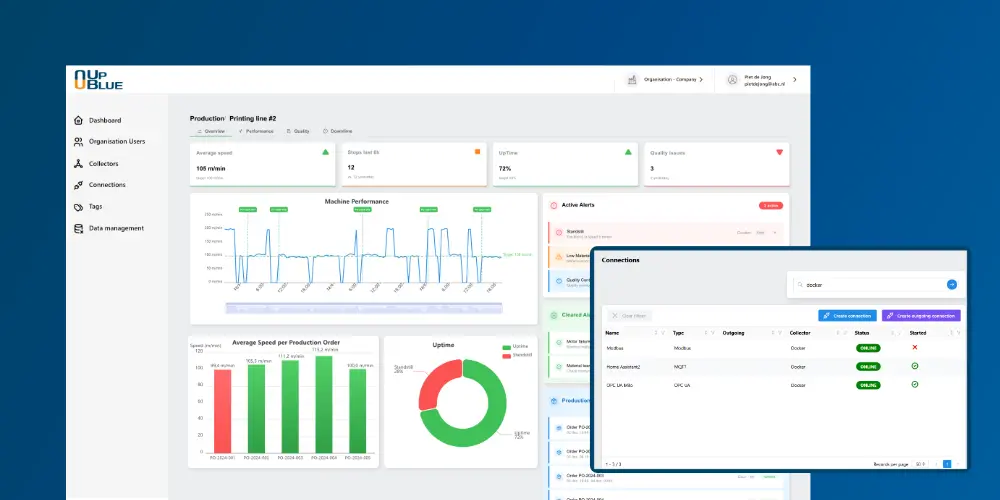
Click UpBlue AI in the menu and ask your question. The assistant works in the organisation you have open and knows which dashboard you are viewing: "this dashboard" is the one in front of you.

  • Built in, nothing to install
  • See every step the assistant takes
  • Works on the dashboard you have open

In Your Own AI App

MCP

Add the UpBlue MCP server to Claude, ChatGPT or Gemini and ask your questions next to your reports and Excel files. You log in with your UpBlue account; no API key needed.

  • Claude, ChatGPT and Gemini
  • Also Claude Code, Codex and Gemini CLI
  • One address: mcp.upblue.io

What the Assistant Can Do

The assistant uses the same functions you use in UpBlue, from querying data to deploying a connection.

Query Data

Current values, trends and averages over any period, per tag, machine or line.

Build Dashboards

Create new dashboards, add and change panels, with version history.

Manage Connections

Create sources and destinations, set up rules, test and deploy.

Monitor Collectors

Read and explain the status, logs and attention items of your collectors.

Alerts and Events

Set up alert rules and event rules, and explain why an alert fired.

Explain the Data Flow

Follow a value from machine to destination and find the step where it goes wrong.

Safety Built In

The assistant can never do more than the user.

Your Own Permissions

A viewer only reads; an editor can also make changes. Want an AI app that only reads? Use a viewer account.

Approval First

Before any change to a connection, rule, collector or alert, the assistant asks for your approval.

Everything Restorable

Every dashboard change is a new version. Restore an earlier one with a single click.

Nothing Live Without a Deploy

A saved change does nothing on the shop floor until it is deliberately deployed.

What Is MCP?

MCP (Model Context Protocol) is the open standard AI apps use to connect to other systems. UpBlue offers one MCP server for all organisations: add the address to your AI app, log in with your UpBlue account and the app knows your factory.

Try the Assistant on Your Own Data

Start a free trial, connect a machine and ask your first question.

Other Functions